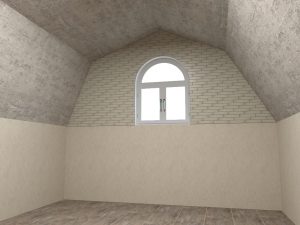
Draw a mansard roof or similar roof using a free mural.
Set up the room. Select the wall where you want to place the mural in the navigation panel, and switch to wall view.
Select in menu Room | Mural the free mural function. Draw a closing triangle. Doubleclick on the triangle to start free construction options.
Select the diagonal line and click on the insert button (plus sign). A white bullet appears, drag it to the desired position. The other option could be to change the diagonal line to an arc or curve. Press enter to stop editing.
Select de mural and copy – paste it. Rightclick to open the context menu and select mirror > X. Put the mural in the right corner.
Go to floor view. Select the mural and set the thickness to the same dimension of the length of the wall.